Emulating a garage door opener with HackRF
In this article I’ll show how to synthesize the RF signal of my garage door opener.
First, we'll do it using GNU Radio and the HackRF connected via USB.
Second, I'll show how to replay the signal directly from the Portapack. Using a simple Python script I will generate a .c8 file which can be replayed directly from a HackRF One Portapack H4M with the Mayhem firmware.
Understanding the signal
My garage door opener is a fairly typical one which sends a fixed code based on the configuration of an internal 10-DIP switch.
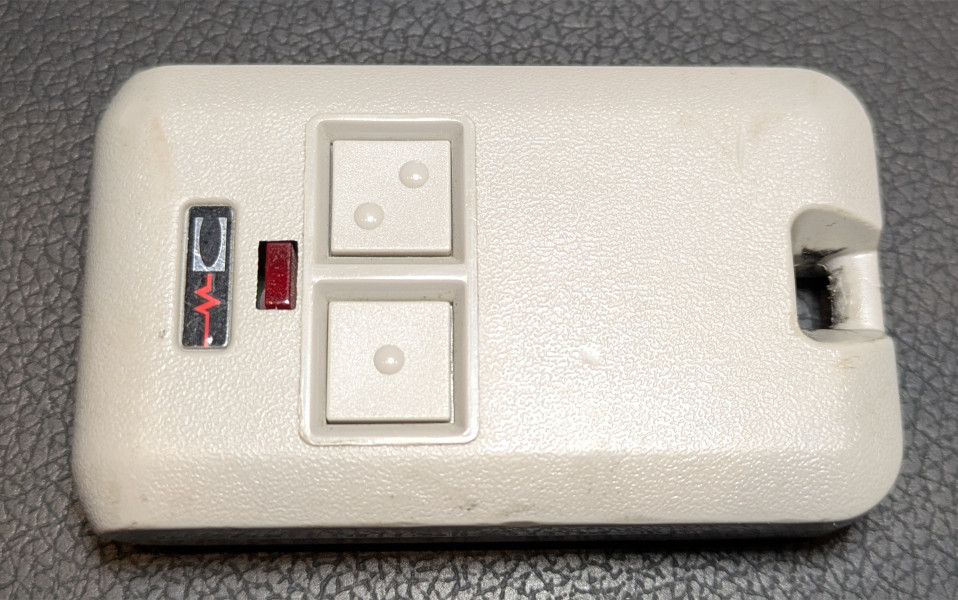
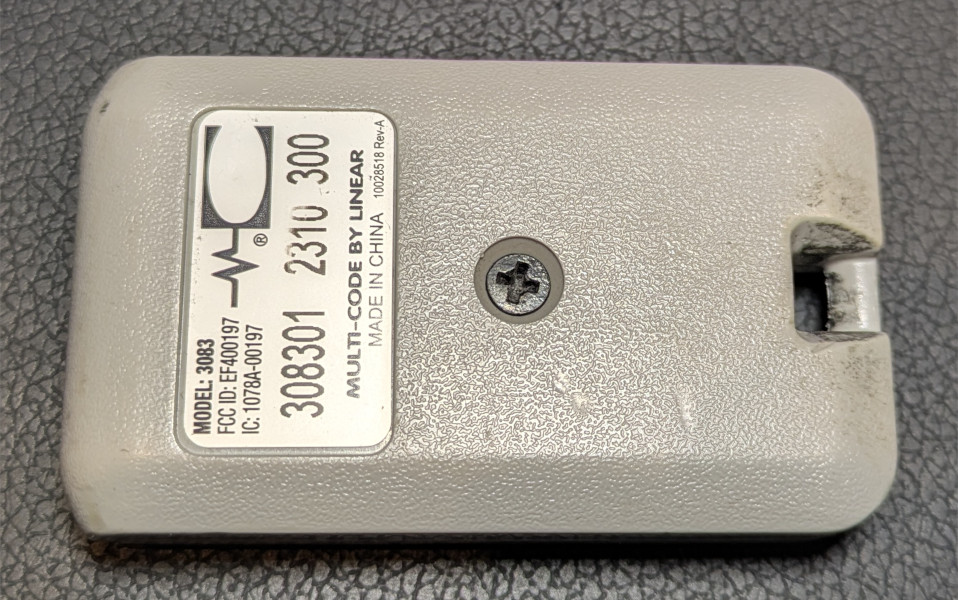
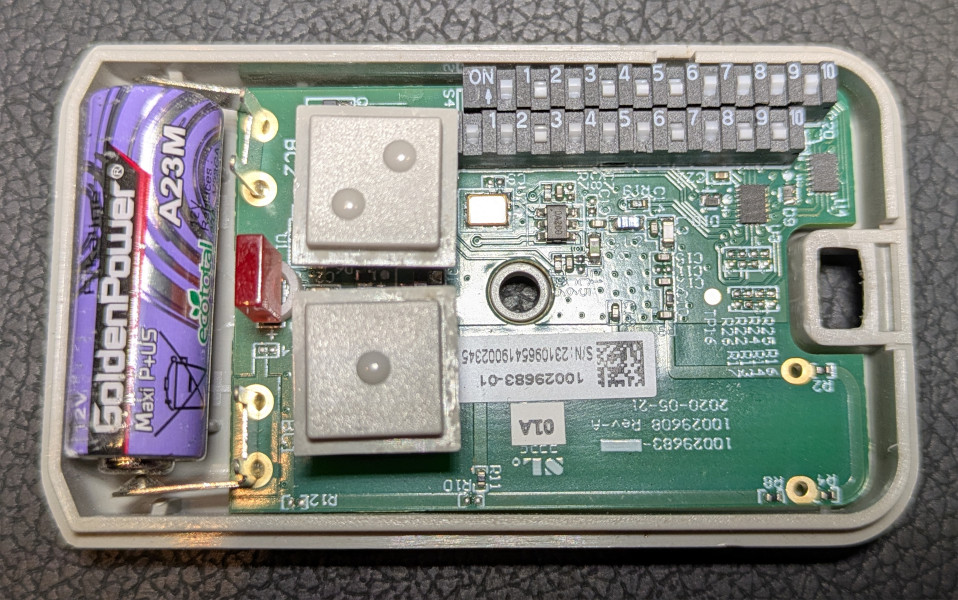
Using the same method I used for reverse-engineering my Somfy blinds, I was able to learn the following about the signal sent by my garage door opener:
- Frequency: 300 MHz
- Encoding: on-off keying (OOK)
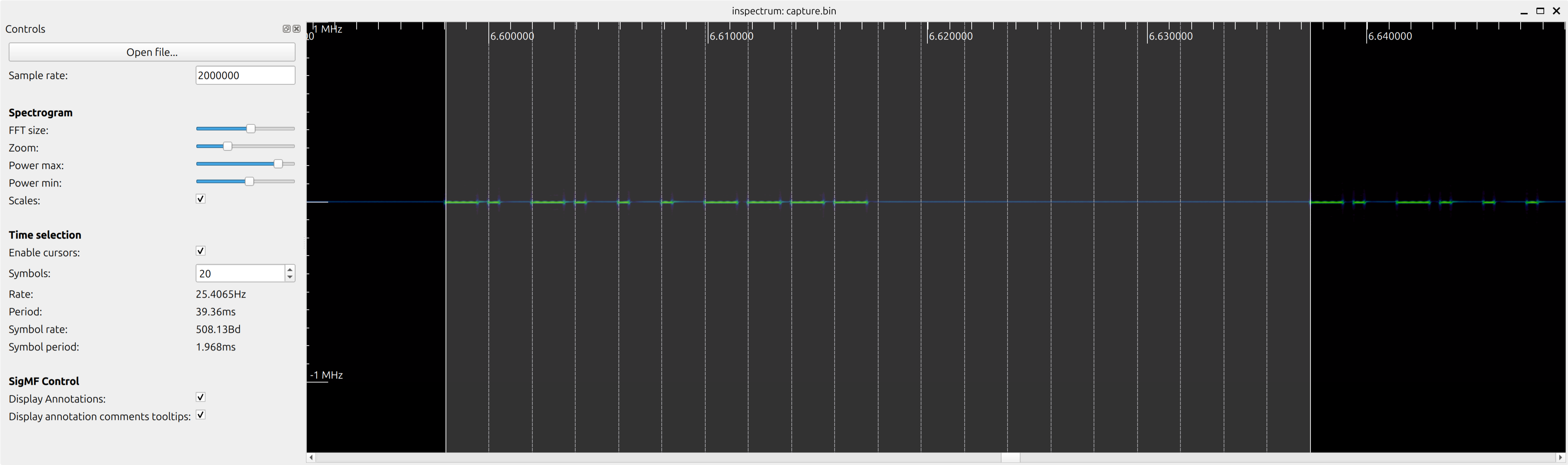
- Pulse duration: 1.97 ms
- Encoding of “0”:
- ON for 25% of a pulse
- OFF for the remaining 75%
- Encoding of “1”:
- ON for 75% of a pulse
- OFF for the remaining 25%
- Wait between repetitions of the sequence: 19.7 ms (10 pulses)
The remote sends exactly 10 bits representing the configuration of the 10-DIP switch, then waits for 10 pulses, and sends the bit sequence again, and so on, while the button is pressed.
This is what the real signal looks like for code "1010001111":
Emulating the door opener with GNU Radio
To emulate the garage door opener we create 2 almost identical block flows, one for each of the 2 buttons, which are then added together and then passed to the transmitter.
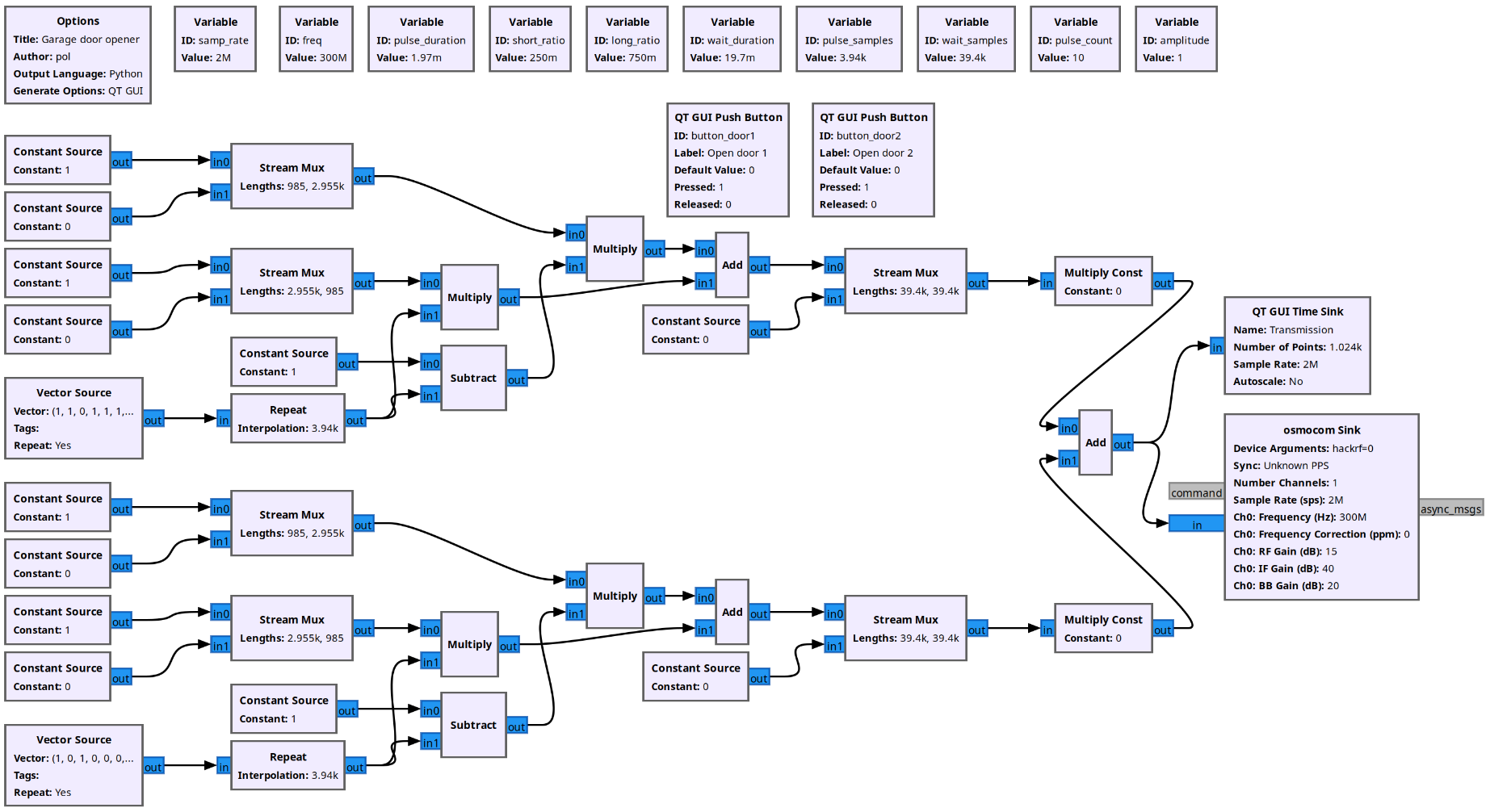
If we look at the flow for one of the buttons, this is a quick explanation of what's going on:
- Vector Source: generates the 10-bit sequence associated with one of the 10-DIP switches, repeatedly.
- Repeat: repeats each bit in the sequence, to as many samples as they fit in one pulse. At a sample rate of 2M/s and a pulse duration of 1.97 ms, that means an interpolation of 3.94k.
- Constant Source + Stream Mux blocks on the left: these blocks generate a short pulse and a long pulse, repeatedly.
- We then use a combination of Subtract + Multiply + Add to combine these signals and produce a repeating sequence of samples representing the sequence.
- Stream Mux near the middle: combines one code sequence first, with 10 pulses worth of silence second, repeatedly.
- Multiply Const: multiplies the signal by 0 or 1 depending on wether the button for that door is pressed.
Download the GNU Radio project here: garage-door-opener.grc
Emulating the door opener with HackRF One + Portapack
In this section I'll explain how I saved a synthetic version of the signal into a .c8 file, and how I replayed it using the HackRF One Portapack H4M with the Mayhem firmware.
Synthesizing the signal into a .c8 file
Now that we know exactly what the signal looks like, we can generate a synthetic version of it and store it in a file with .c8 format, for future replaying of the signal using Mayhem.
The .c8 is a binary format representing a signal as a series of samples of the I and Q values, where each value is represented as a signed 8-bit integer. Each sample is exactly 2 bytes long, one for I and one for Q.
Mayhem expects the .c8 file to be accompanied by a .txt file containing the center frequency and the sample rate. We’ll use 300 MHz as the center frequency, and this way our I/Q signal can be a simple constant that goes on and off at the right times. We’ll use 500k as the sample rate. While HackRF can handle sample rates of up to 20M when connected to a computer via USB, the Portapack H4M isn’t as capable, and 500k is a good enough sample rate.
This is what the .txt file will look like:
sample_rate=500000
center_frequency=300000000
To generate the sign file we use the following Python script, which is self-explanatory:
import struct

frequency = 300000000 # 300 MHz
samp_rate = 500000
buffer_duration = 0.020 # 20 ms
buffer_samples = round(samp_rate * buffer_duration)
pulse_duration = 1.97e-3 # 1.97 ms
pulse_samples = round(samp_rate * pulse_duration)

code_door1 = [1, 1, 0, 1, 1, 1, 0, 1, 0, 0]
code_door2 = [1, 0, 1, 0, 0, 0, 1, 1, 1, 1]

short_ratio = 0.25
long_ratio = 0.75

begin_wait_pulses = 5
end_wait_pulses = 5

amplitude = 127
repeat = 10

def write_buffer(f):
  for _ in range(buffer_samples):
    f.write(struct.pack("<b", 0)) # real
    f.write(struct.pack("<b", 0)) # imaginary

def write_code(f, code):
  # Begin wait pulses
  for _ in range(begin_wait_pulses):
    for _ in range(pulse_samples):
      f.write(struct.pack("<b", 0)) # real
      f.write(struct.pack("<b", 0)) # imaginary

  # Data pulses
  for bit in code:
    on_ratio = short_ratio if bit == 0 else long_ratio
    on_samples = round(on_ratio * pulse_samples)
    off_samples = pulse_samples - on_samples

    for _ in range(on_samples):
      f.write(struct.pack("<b", amplitude)) # real
      f.write(struct.pack("<b", 0)) # imaginary

    for _ in range(off_samples):
      f.write(struct.pack("<b", 0)) # real
      f.write(struct.pack("<b", 0)) # imaginary

  # End wait pulses
  for _ in range(begin_wait_pulses):
    for _ in range(pulse_samples):
      f.write(struct.pack("<b", 0)) # real
      f.write(struct.pack("<b", 0)) # imaginary

for name, code in [
  ('garage-door1', code_door1),
  ('garage-door2', code_door2),
]:
  with open(f"{name}.C8", "wb") as f:
    write_buffer(f)
    for _ in range(repeat):
      write_code(f, code)

  with open(f"{name}.TXT", "w") as f:
    f.write(f"sample_rate={samp_rate}\n")
    f.write(f"center_frequency={frequency}\n")
The script will store 10 repetitions of the signal in the same file. This is necessary because the garage door won’t open on the first correct code it receives. It actually expects a few repetitions of the correct code before opening.
Download the script here: garage-door-replay.py
Replaying the signal
Now we will transfer the .c8 and .txt files to the Portapack and use it to replay the signal from the standalone device, without connecting it to a computer.
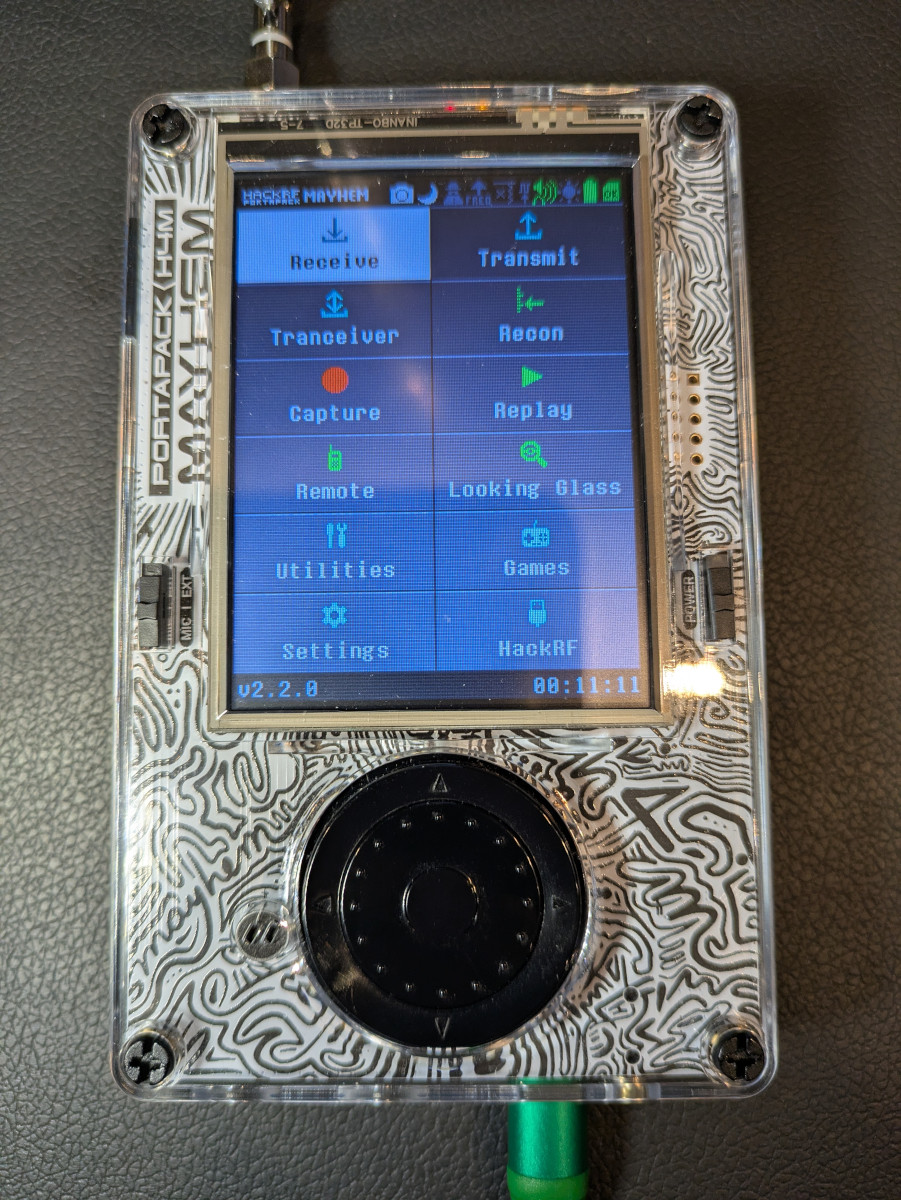
We use the SD over USB to transfer the generated files to the Portapack’s SD card. For that, from the main menu we go to Utilities → SD Over USB, while the Portapack is connected to the computer via USB. A few seconds later, the SD will show up as a drive. Copy the files under the “CAPTURES” directory. Safely remove the drive, and restart the Portapack.
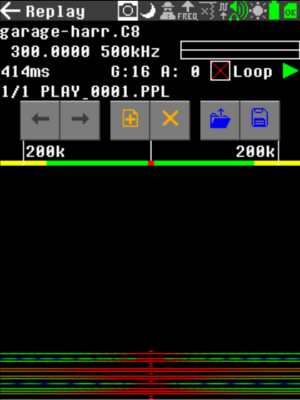
Finally, we use the Replay app to transmit the signal and verify the garage door actually opens. From teh main menu, go to Replay. Then press the "+" icon and browse the .c8 file. The file is ready to play now. Press the "play" button and the signal will be transmitted.
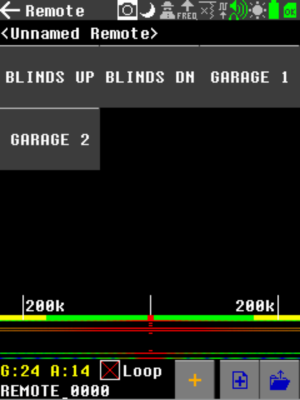
You may also configure the “Remotes” app to play this file when pressing a custom button.
Future project: brute-force the garage door by transmitting all possible codes
Given the code is composed of 10 bits, there are only 1024 possible codes. Can we send all codes one after the other and get the door to open? Or will the door detect the jamming attempt and prevent the attack? We will find out soon. Stay tuned!
Update: check out how to brute force a garage door with HackRF.